Windows Desktop App · No Coding Needed

Shri Sai Trading Journal

Log every trade, auto-calculate R-multiples and P/L, and see exactly where your edge is working — and where it isn't — on one clean dashboard.

⬇ Download Free Trial (.exe) View Pricing See Screenshots

What it looks like

Four tabs. Everything a disciplined trader needs to review their own performance.
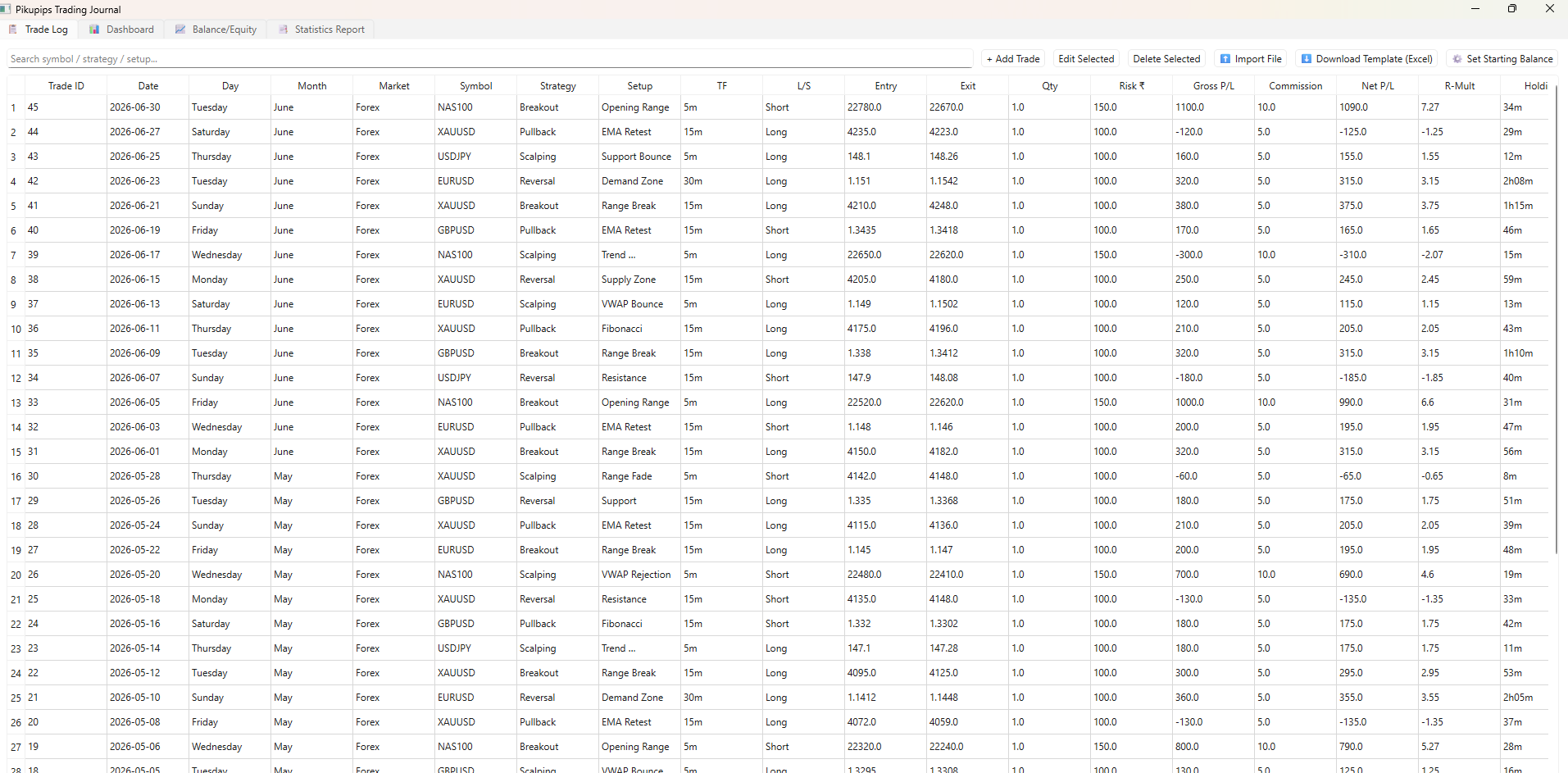
Trade Log tab
Trade Log — every trade with auto-calculated Day, Net P/L, R-Multiple & Risk:Reward
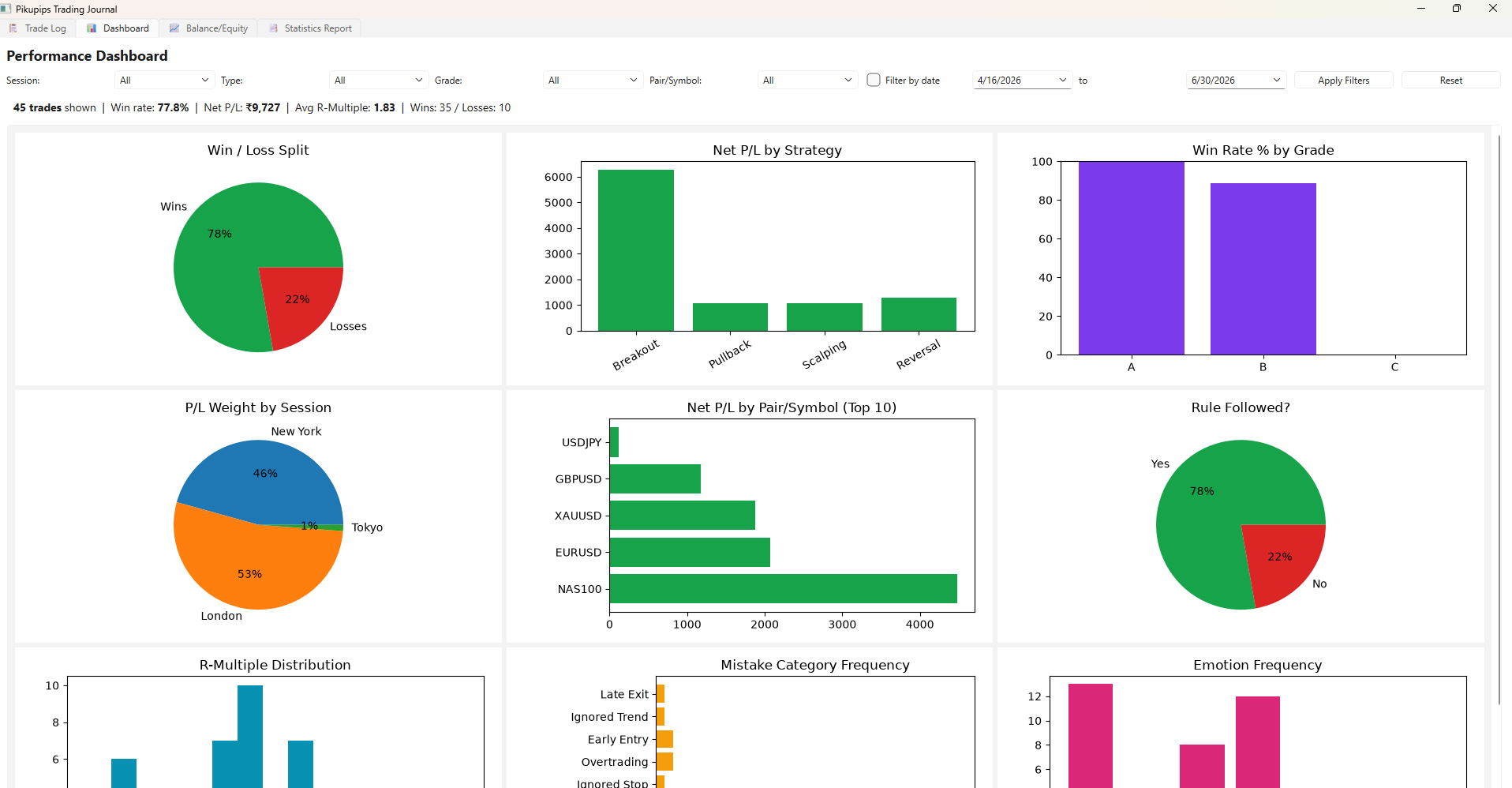
Performance Dashboard tab
Dashboard — win rate, P/L by strategy, session, symbol, mistake & emotion patterns
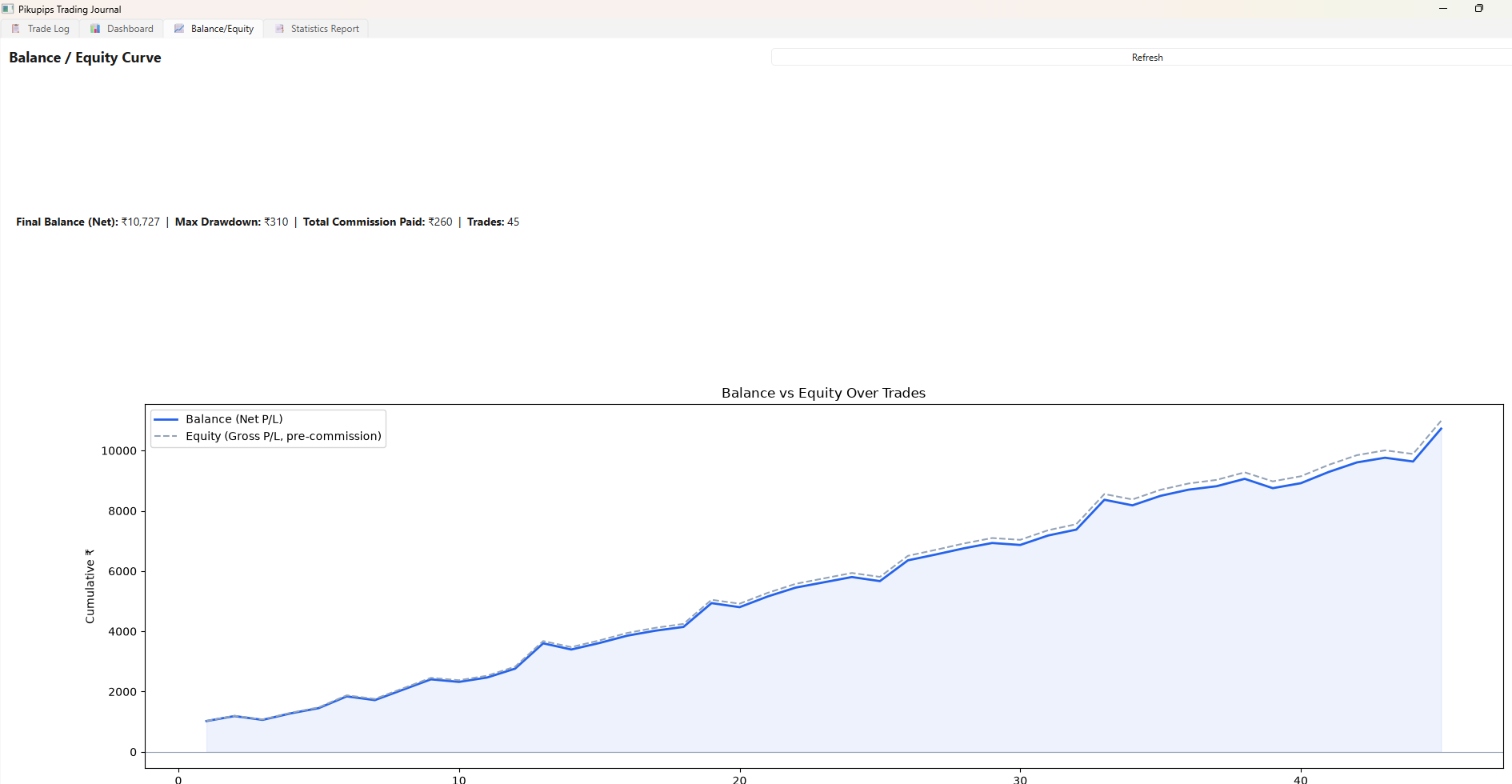
Balance and Equity tab
Balance / Equity — cumulative P/L curve, max drawdown & commission paid
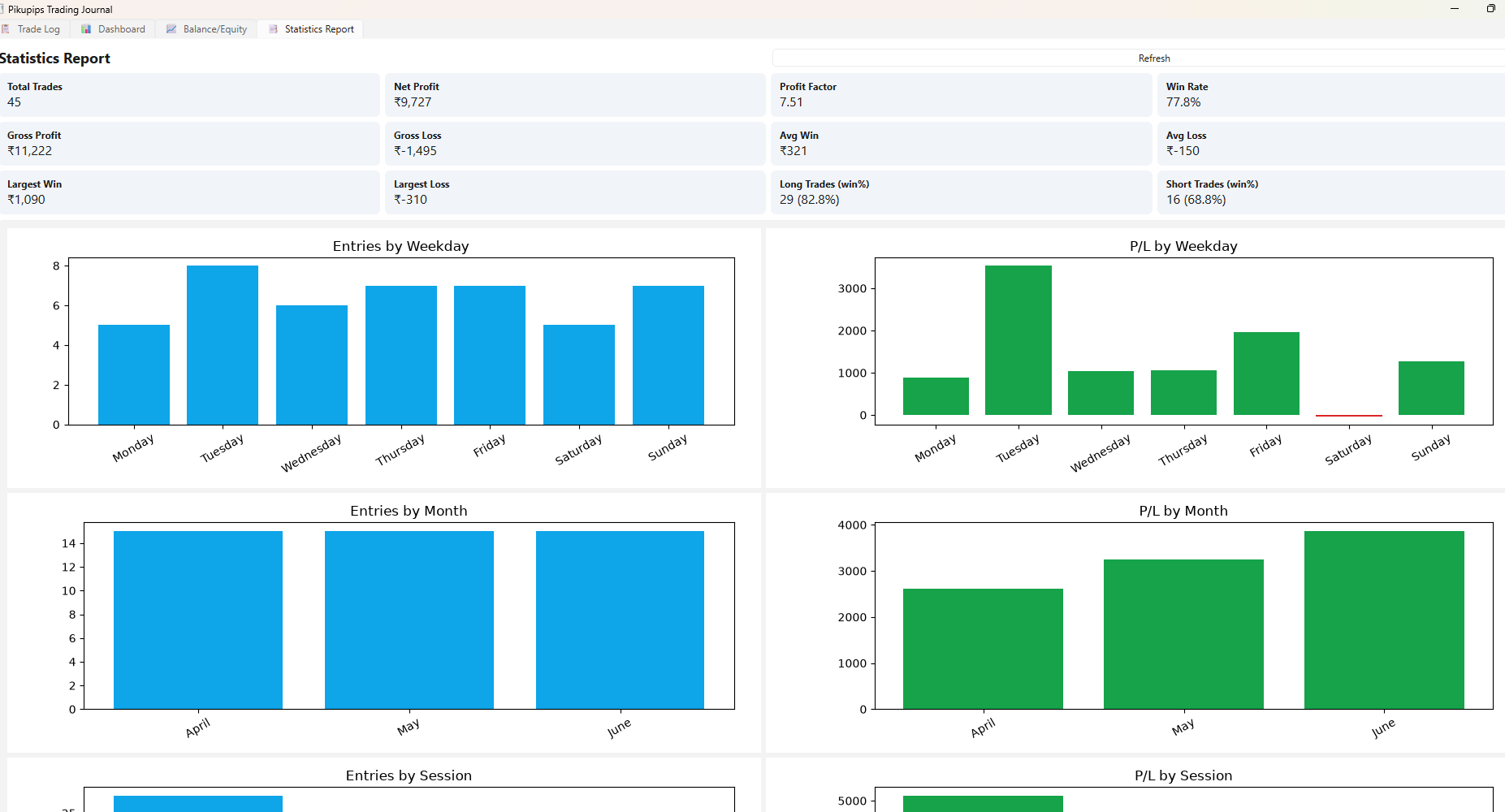
Statistics Report tab
Statistics Report — profit factor, win rate, and breakdowns by weekday, month & session

Everything inside

Full trade log

Date, Market, Symbol, Strategy, Entry/SL/Target/Exit, Risk, P/L, Session, Grade, Emotion, Rule Followed, Mistake Category and Notes.

Auto-calculated fields

Day, Month, Net P/L, R-Multiple and Risk:Reward are computed for you the moment a trade is saved.

CSV import / export

Download a template, bulk-fill it from your broker's export, and import it back — every derived field recalculates automatically.

Pattern-spotting dashboard

Filter by session, direction, grade, symbol and date range to see exactly where your wins and mistakes cluster.

Balance & equity curve

A running line chart of cumulative P/L, with a lighter pre-commission equity line and max drawdown tracked automatically.

Statistics report

Profit factor, win rate, average win/loss, and P/L broken down by weekday, month and session.

Try it free, then extend with a license key

One download. No reinstalling later — a new key just extends the same app.

Download & run the free trial

Download the app above and double-click to run it — no installation, no Python, nothing else needed.

Copy your Machine ID

On first run you'll see your unique Machine ID with a Copy button. This ties any license key to your computer only.

Get your license key

Send us your Machine ID via the contact page (or after purchasing a plan below). We'll reply with a key that activates or extends your trial — fully offline after activation.

Extend anytime, same install

When your term is ending, just request a new key for the same Machine ID — your data, settings and password all stay exactly as they are. No re-download needed.

Set your password

A separate local password keeps others from opening your journal on your own PC.

Start logging trades

Add trades manually or import your broker history via CSV, then explore the dashboard.

Pricing

Single user, single machine — already running the free trial? A paid plan just extends your existing install with a new key.

6 Month Rental
$50
Single user · single machine
  • Full Trade Log & Dashboard
  • Balance / Equity & Statistics Report
  • CSV Import / Export
  • Offline, Machine-Locked License
  • Email Support
Your entire journal is stored in one local folder on your computer. Back it up any time by copying that folder to a USB drive or cloud folder — restore it the same way on any activated machine.

License Terms

This is a rental license tied to a single machine, activated via a Machine ID and License Key exchange with our team. Already have the free trial installed? A new key simply extends it — no need to download or reinstall anything.

All purchases are non-refundable. The app is delivered digitally and works fully offline once activated.

💬 Talk to us